
cemelog
Menu

MAKE YOUR MAZE

Maze building

Turn a connected path into a maze of your own.

Coming soon · Early access open on TestFlight

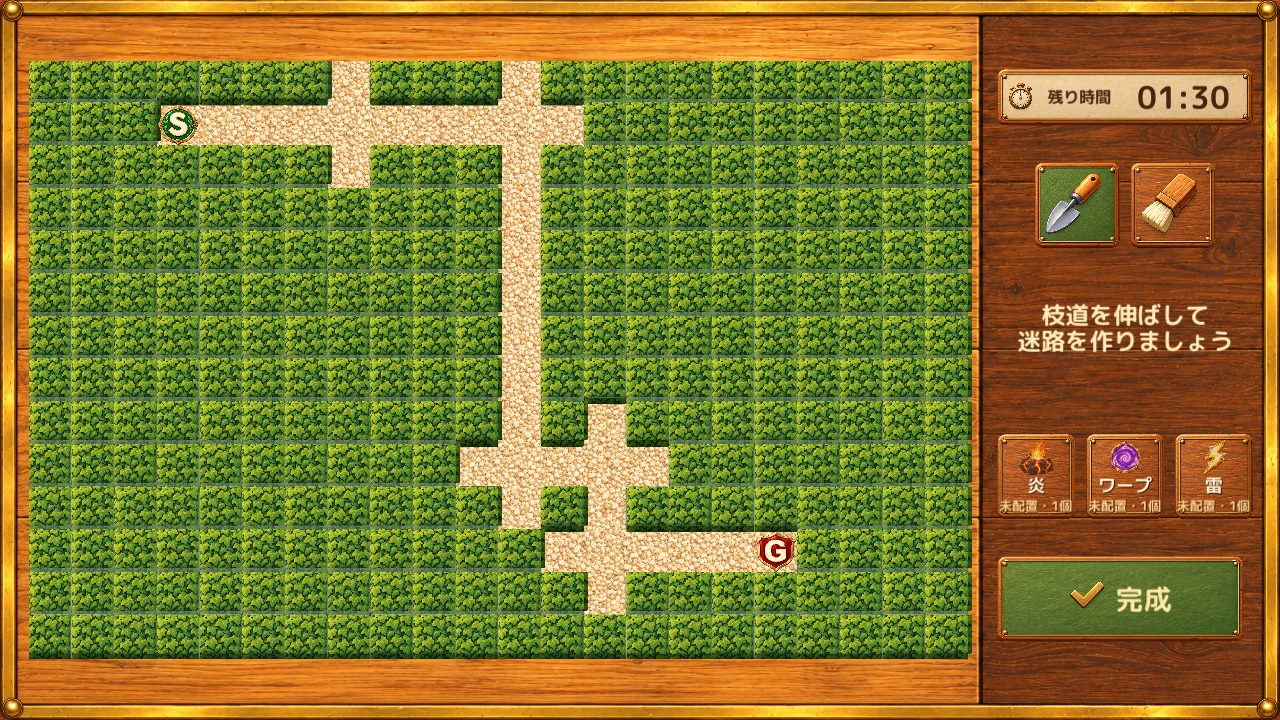
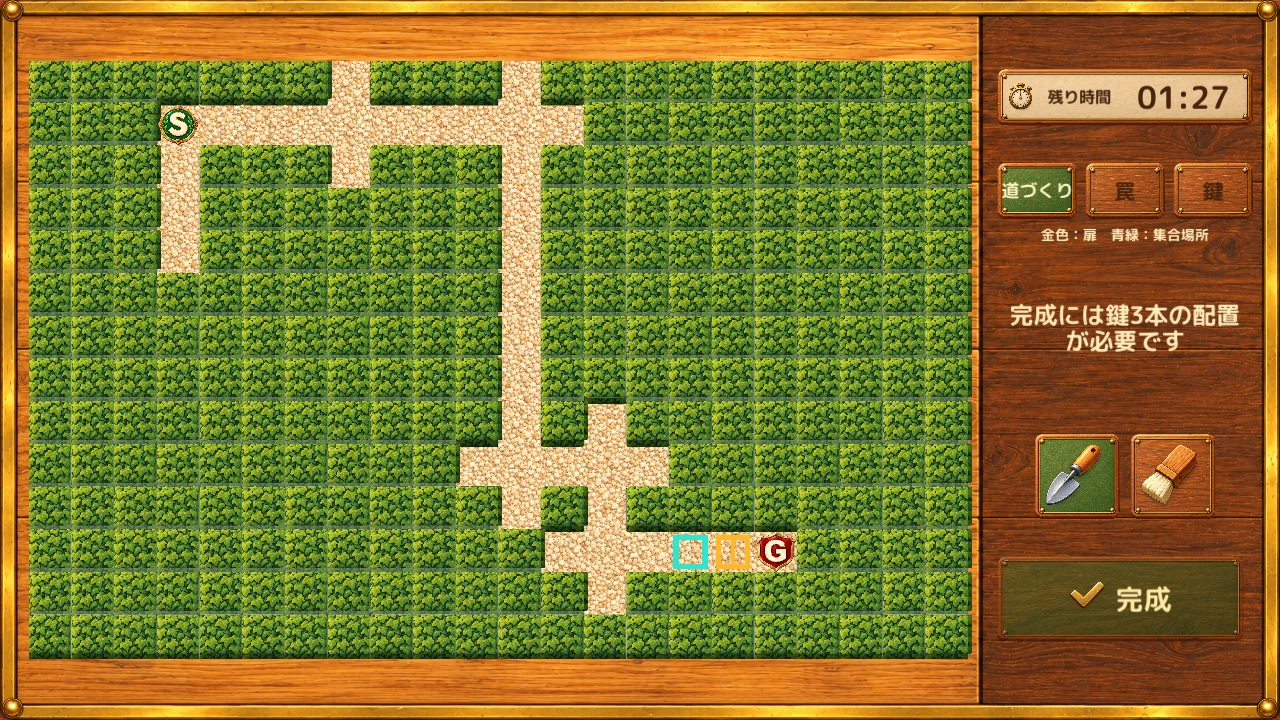
Maze-building screen with connected branching paths
A screen from a build in development. Mazes, names, scores and inventory counts are examples.Select the image to enlarge it

Backgrounds and characters: artwork adopted for the game

See it in motion

Demo of drawing and erasing paths and placing keys. Screens from a build in development. Plays without sound.

01

Start with a connected path

Begin with a path connecting the start and goal, along with some initial branches. Work with that foundation to decide where to add detours. You can also finish the maze as it is, without adding more paths.

The foundation path is protected, so you can build your maze while keeping the route to the exit connected.

02

Draw, connect, erase

Trace with one finger to extend branches, join other paths, or erase unwanted additions. Paths added after initial generation follow the areas you draw. Create your own T-junctions and crossroads, combining branches and merges.

Pinch to zoom into fine details, and use two fingers to move the view. Compare the whole layout with the paths close at hand as you work.
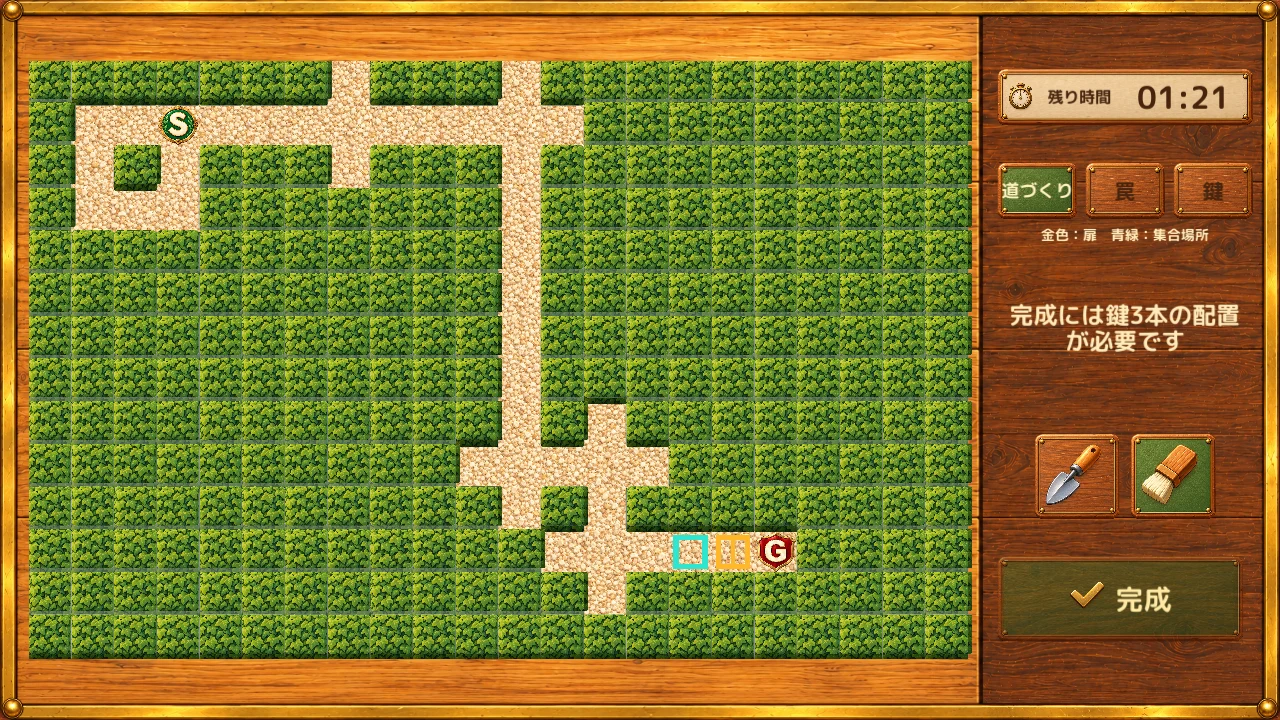
Screen with newly drawn branching paths
A screen from a build in development. Mazes, names, scores and inventory counts are examples.Select the image to enlarge it
Screen after erasing added paths
A screen from a build in development. Mazes, names, scores and inventory counts are examples.Select the image to enlarge it

03

Finish with traps

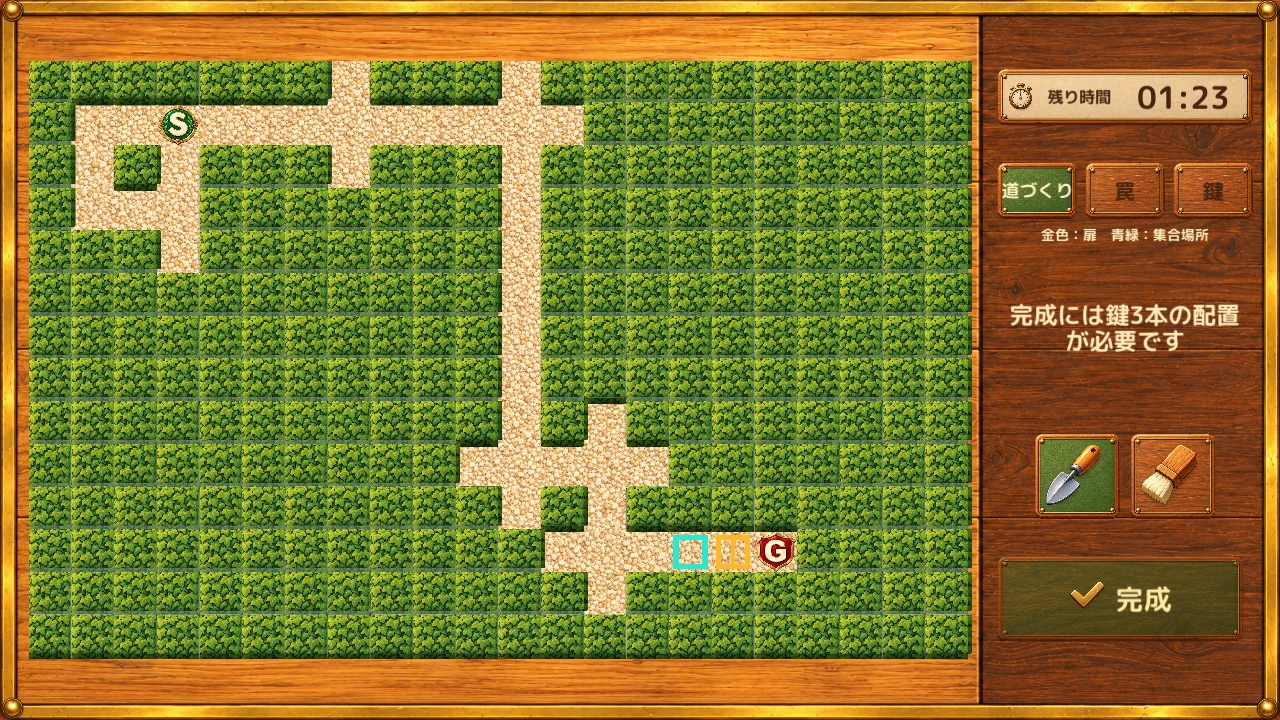
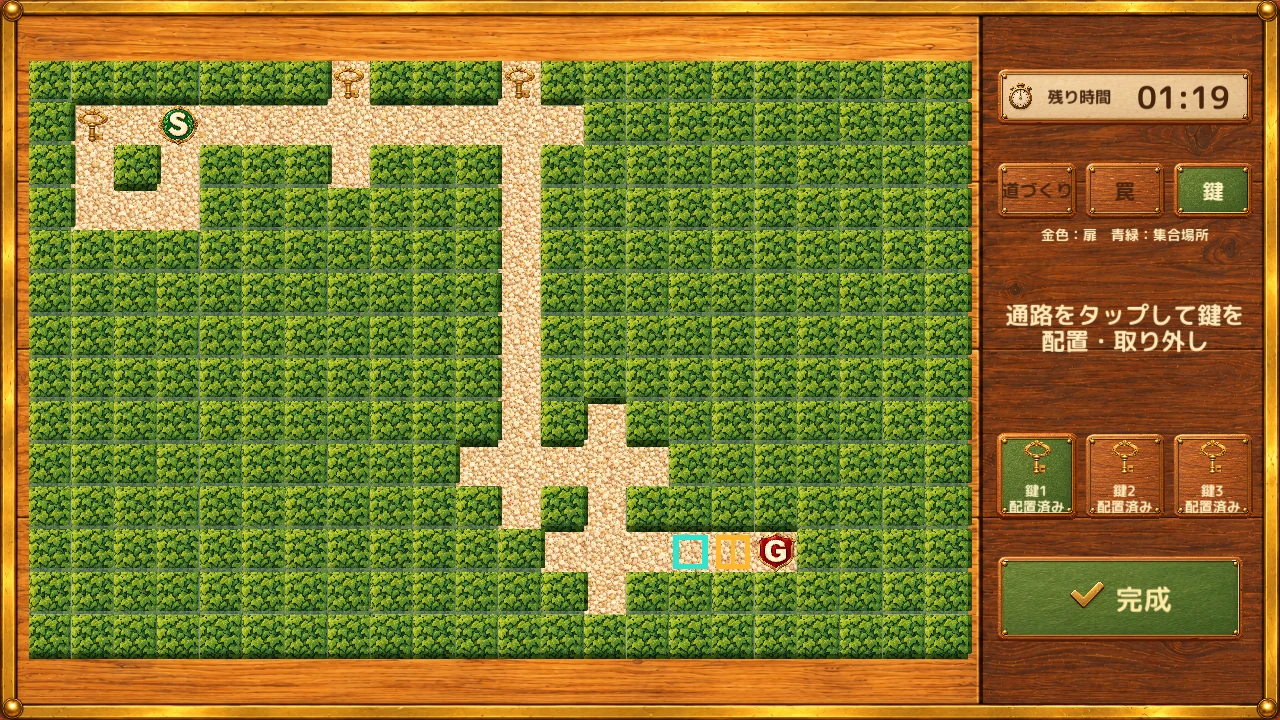
Place one fire, lightning, and warp trap on the paths. In 1v3, switch between paths, traps, and keys to prepare all three keys within the same 90 seconds. Shape the maze and its placements together as you decide where to lead your opponents.

To finish a 1v3 maze early, all three keys must be validly placed. When time runs out, valid confirmed placements are kept and missing keys are filled in before exploration. A stroke or placement still being held is not confirmed.
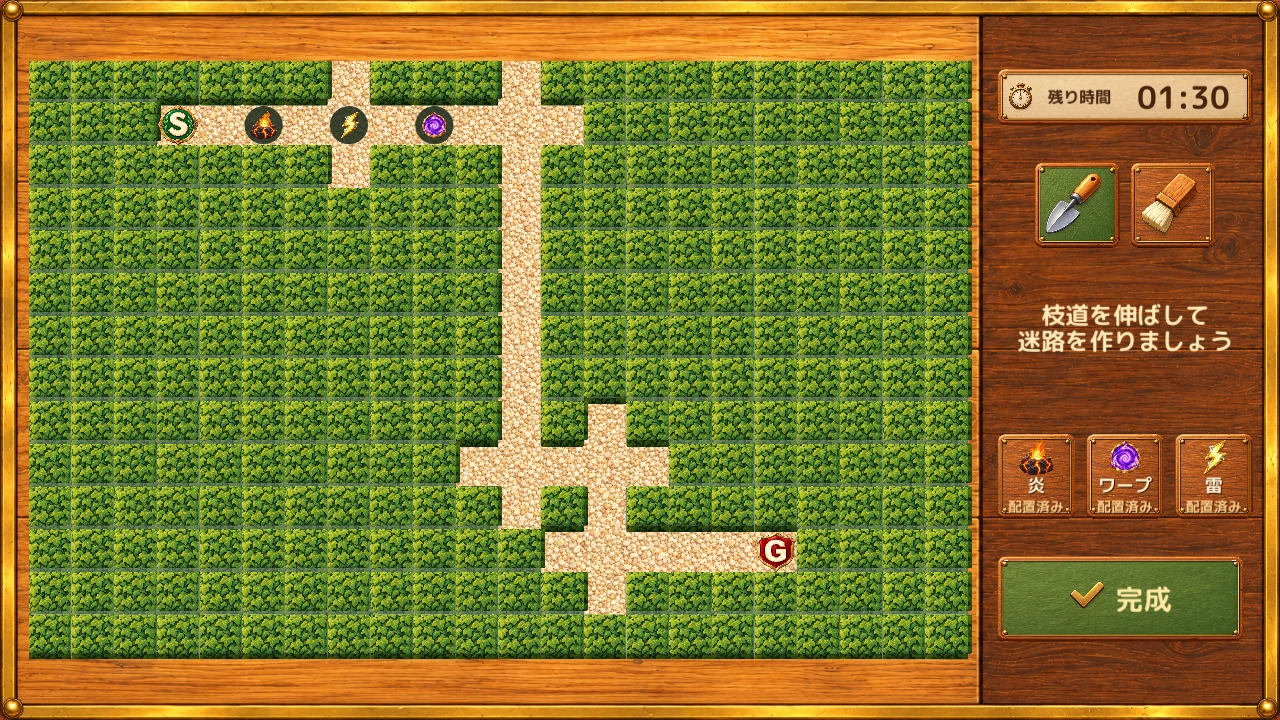
Finished screen with three traps placed
A screen from a build in development. Mazes, names, scores and inventory counts are examples.Select the image to enlarge it
The authoring screen with three keys placed using the path, trap and key tabs
A screen from a build in development. Mazes, names, scores and inventory counts are examples.Select the image to enlarge it

Screenshots and videos show a Japanese development build. Website translation does not confirm in-game language support.